++Hakanor’s Reavers Painting Tutorial++
Author Muskie is a seasoned Nurgle Marine player and a long-time member of the Bolter & Chainsword.
Requirements Paints Normally I use old paints, but for this model I made sure to use only GW's paints.
-Chaos Black - -Chainmail
- -Mithril Silver
- -Brazen Brass
- -Burnished Gold
- -Blood Red
- -Mechrite Red (Foundation line)
- -Red Gore
- -Blood Angel Orange
- -Fiery Orange
- -Golden Yellow
- -Snakebite Leather
- -Bleached Bone
Note: I tend to use more coats of paint than most people. You can simplify this paint scheme by using just a single red, orange, and yellow and generally doing less levels of highlights than I do. This is not a simple, quick and easy to paint scheme, but it doesn’t have to be that difficult if you follow this tutorial and use my lava technique. This is also different from the way that the Heavy Metal Guys opted to do it.
Oh and there's no drybrushing involved 
Bits
I went out and bought an entire box of the newly re-cut Chaos Space Marines. My plan was to only use bits in the box, to not do any conversions, nor any green stuff. I stuck to that with one exception.
One night while I couldn’t sleep I hit upon the idea of continuing the lava effect on to the base, so I used green stuff and a metal spike to make some lava. I also opted for a power sword even though the model has no use in my army, I thought continuing the lava effect on to the power sword would be striking.
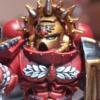
On page 69 of the new Codex is a picture of a Hakanor’s Reaver and a bit more fluff. Whoever painted it ended up taking the lightning effect from the Night Lords and just using reds, oranges, and yellows. I wanted to get the effect shown on page 20 which was likely done on a computer - and I knew exactly how to do it too.
The picture on page 20 has golden trim with a silver backpack. While the model on page 69 has silver trim, I decided to go with the gold trim but in the end it doesn’t matter. You can do NMM on the trim if you want, hell, you can even drybrush it if you dare The key is to get the lava effect on page 20 which is much cooler than the effect shown on page 69. I won’t be painting the lava effect on the model’s hands and I will do the gun silver possibly with some black and/or gold.
This model is mostly black, so a black base coat is a no brainer. Spray it, paint it by hand, I used Smelly Primer first then Chaos Black - it shouldn’t really matter. What matters is getting the entire model (including the base) a pure, flat, black. Don’t put any coat of paint on too thick, it will obscure detail and looks crappy later on. I would argue that the primer/base coat is one of the most important coats of paint you will put on a model. Do a good job and use multiple thin coats.
Now paint the entire bottom half of the model red, a nice dark red. I used Blood Red from an old Citadel paint box. Also, paint the blade of the power sword the same dark red. Don’t do the base yet (it is getting an alternate lava effect technique later on). Do two or three thin coats and try not to put too much paint on, don’t worry if it is a bit blotchy, this is still basically a base coat. You could use one of the new foundation paints here I imagine, as it might save you some time.
Step 3 - Begin the Gradient It's time to paint the bottom two thirds of the model’s legs and the power sword using your second red colour (mine is Red Gore). If you are just using a single red, switch to orange now.
Now paint the bottom half of the legs and the sword orange (in my case, Blood Angels Orange).
Now if you are going to use any washes or glazes, use your red one. I used Red Glaze on everything that was painted anything but the black areas. Alternatively, you could use a nice thin wash instead. The intention is to improve the blending and to warm the colours up a bit. We’re not really trying to shade the gradient.
When the glaze/wash dries, paint the bottom third your second orange (I used Fiery Orange).
Now paint the bottom half of the legs and the sword with an Orange Wash. I usually advocate thinning of washes, but this time it doesn’t matter. The wash will flow down the model collecting where you want it to collect. Again, this is to help with the blending and to warm up the colours.
After the wash is completely dry, paint the bottom quarter of the legs and the sword yellow, in my case Golden Yellow.
Then on the bottom fifth of the legs and sword paint your second yellow, in my case Bad Moon Yellow from the original Orks VS Eldar paint set.
The final step in my plan to paint the gradient was to use Yellow Glaze on the bottom third of the legs and the sword. You can use a thinned down yellow wash or nothing at all, the gradient doesn’t need to be super smooth.
Now paint black all the parts of the model that aren’t suppose to be covered by the gradient, then step back and admire your work. If it isn’t super smooth, it shouldn’t matter, but if you’re a perfectionist now is your last chance to touch up the gradient.
Now this is where we turn the model into a Hakanor’s Reaver. Look at the picture on page 20. We now paint irregular geometric shapes all over the legs and sword of the model. You need a decent brush for this, but it shouldn’t be that hard as you can paint the shapes anyway you want. Strategically position them to cover up any splotchy parts of your gradient. Leave about a brush's width, no more than two between the shapes. Start at the feet and the hilt and work up, that is the plan. Hopefully you have ended up with something like what is on page 20.
There, it took 10 different pots of paint and even more coats of paint to get this far. The rest is easier (with the exception of highlighting the black).
Step 6 - Backpack, Gun, and Stuff Now we paint the parts of the model that are to be metallic silver. This is the backpack, the weapons, and the belt buckle. Iron Warriors painters rejoice, this is where you can cut some corners. I went with a Chainmail basecoat, then a thinned Armour Wash, followed by some Mithril Silver highlights. You could simplify this. I strongly caution against using Armour Wash near anything red, orange, or yellow. Even a little Armour Wash will really mess up yellow, best keep it well away. Don’t say I didn’t warn you, I’ve made this mistake before . Be sure and allow plenty of time for the Armour Wash to settle and dry.
Now, if you want to save some coats of paint you can just paint the trim silver, like the model on page 69. However, on page 20 the trim is clearly a different colour than the backpack, so I painted the trim Brazen Brass. It looked good just like that so you may want to just push on after doing that. You can also get a two-tone effect by painting brass on top of the silver, and you can do studs on the armour brass as well.
I almost never paint gold, but the picture on page 20 looked more gold than brass so I decided to highlight the Brazen Brass with Burnished Gold. However, the pot I had was old and sucky, so I took that as a sign and did no highlights on the brass, no washes either. Leaving it nice and shiny and keeping things simple but it's your choice.
Step 8 - Skulls and Horns
Chaos Space Marines have a lot of skulls and horns and I’ve gotten pretty good at painting them. I forgot to include the paints necessary earlier. For the skulls, I used a Snakebite Leather basecoat over which I painted one or two coats of Bleached Bone. Then I did a thinned down wash of Rust Brown Ink. Finally you can highlight the skull with Bleached Bone or even Skull White. I rarely use Skull White as a highlight. Sometimes I’ll use different coloured washes or basecoats to get a more red tone. For the horns, you need one extra brown, say Scorched Brown, which you paint the bottom quarter of the horn, then Snakebite Leather over the rest then Bleached Bone over that to get the striation effect.
One trick I learned long ago that I haven’t used yet in this tutorial is when doing a wash on say the skulls, lay the model on its back while the wash dries.
Step 9 - The Eyes and the Base
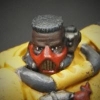
I decided to paint the eyes red and of course the lava on the base is yet to be done. I was feeling pretty good so I decided to try to get a source lighting effect from the models eyes. I’ve never done this before, but I’ve been seeing it more and more. I was also going to demonstrate an alternative way to do the lava that basically involves painting lines of lava over black. This is made even easier and more effective on my base as I physically carved the lines into the Green Stuff.
I went out and brought the new Foundation Red so I decided to try it on the eyes and lava on the base, just to see if it was a big aid (Foundation Paints taste terrible ). For the eyes, I used the Foundation Red plus Blood Red around the eyes. I then did the thinnest possible Armour (Black) Wash in the eye sockets and surrounding area. Definitely put the model on it's back for this.
I then painted Blood Red right over the Foundation Red in the cracks (you can use a thick coat here). The Blood Red is so much more vibrant than the Foundation Red. I also painted Red Gore in the eye socket and around the edges of the eye socket. You need to put more than one thin coat on in all likelihood.
Once again, use Red Glaze or a thinned red wash on the eye ball, the very edge of the eye sockets and in all the cracks. This will brighten up the red even more. When the glaze dries, paint Blood Angels Orange on just the eye and in the cracks more to the center of the base.
After Blood Angels Orange, put Fiery Orange even more selectively on the eye and the cracks at the center of the base. After it has dried, put a slightly thinned Orange Wash over the Fiery Orange and stuff nearby. Now put a dot of Golden Yellow in each eye and a little here and there on top of the orange in the cracks. Finally, use a little Bad Moon Yellow and a tiny bit of Yellow Glaze to finish it off.
To do the lightning style lava, just use these colours over black and don’t worry about making your lines thin as you can use black to shape your lava.
Step 10 - Highlighting Black
I’m no expert at this, I planned to use the exact same colours GW always recommends for highlighting black: Codex Grey and Fortress Grey.
If you look at page 20, the highlights are really minimal and only on the upper torso so that is what I did first. One good thing about highlighting black is it is easy to un-highlight it. You can use Chaos Black and Armour Wash to help get your edge highlighting crisp.
Originally, I was going to highlight the shapes that make up the lava on the legs but I liked how it looked as is and on page 20 the shapes don’t appear to be highlighted.
Then I was going to highlight the shapes on the base, but it also looked kinda cool like it was so I decided to push on because I wanted to finish the damn model. 
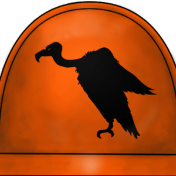
Step 11 - The Chapter Badge One of the disadvantages to doing a DIY or non-Legion is the lack of chapter badge transfers or custom shoulder pads. Sometimes you can modify an existing logo but the Hakanor’s Reavers have a really difficult logo. I’m actually pretty good at free hand but, I found this to be the most difficult step of the entire model.
First, paint a diamond with Blood Red or the Foundation Red this will become the flaming rocks (use the picture on page 20 to guage size). Next with Skull White paint the ‘x-ed out M’. Remember you can use Chaos Black to correct mistakes and shape your logo.
Once you have your basic shape, it is time to do the familiar red, orange, yellow gradient. This time the yellow is at the top of the diamond with the red in the bottom. Don’t worry about getting it smooth or even about glazes and washes. Just paint red then orange then yellow, neatness is not necessary.
Now that you need a really fine brush and you just use Chaos Black to give the illusion of burning rocks. I recommend you paint the flames first, starting at the top of the diamond brushing down. Then just dot in the rocks.
Now an astute observer would note that the scythes are still white. On page 20, they appear to be a different red than the flames and I chalk this up to a graphics artist with too many colours on his photoshop palette. I didn’t want to add another pot of paint to the recipe so to get that pale red I recommend just putting Red Glaze or Red Wash right over the white. This has the double advantage in that you don’t have to be neat. Red Glaze isn’t dark enough you have to use Red Wash undiluted or just paint the sickles red.
The finished insignia:
Step 12 - The Final Touches
Touch up any black that might have been marred. I fiddled with the eyes some more, indeed the entire face. I never could get it looking perfect, especially in photos, it looks decent outside of macro focus. I need more practice on lighting source effects… Seal the model if you like and then you’re good to go. All my photos were taken before I sealed it under less than perfect light (a Halogen desk lamp). Hopefully you find this tutorial useful. I know it is long but, you can cut some corners here and there if you want to.
However, if you want an army of Reavers lead by the Deamon Prince Hakanor, you got to expect it to be more work than painting Iron Warriors. Aren't the results worth it
|